

Analytics only available in a paid plan. Please activate a license key to use this feature.
Overview
Analytics shows how your organization uses Sourcebot over time. Owners can open it from Settings → Analytics.Active users
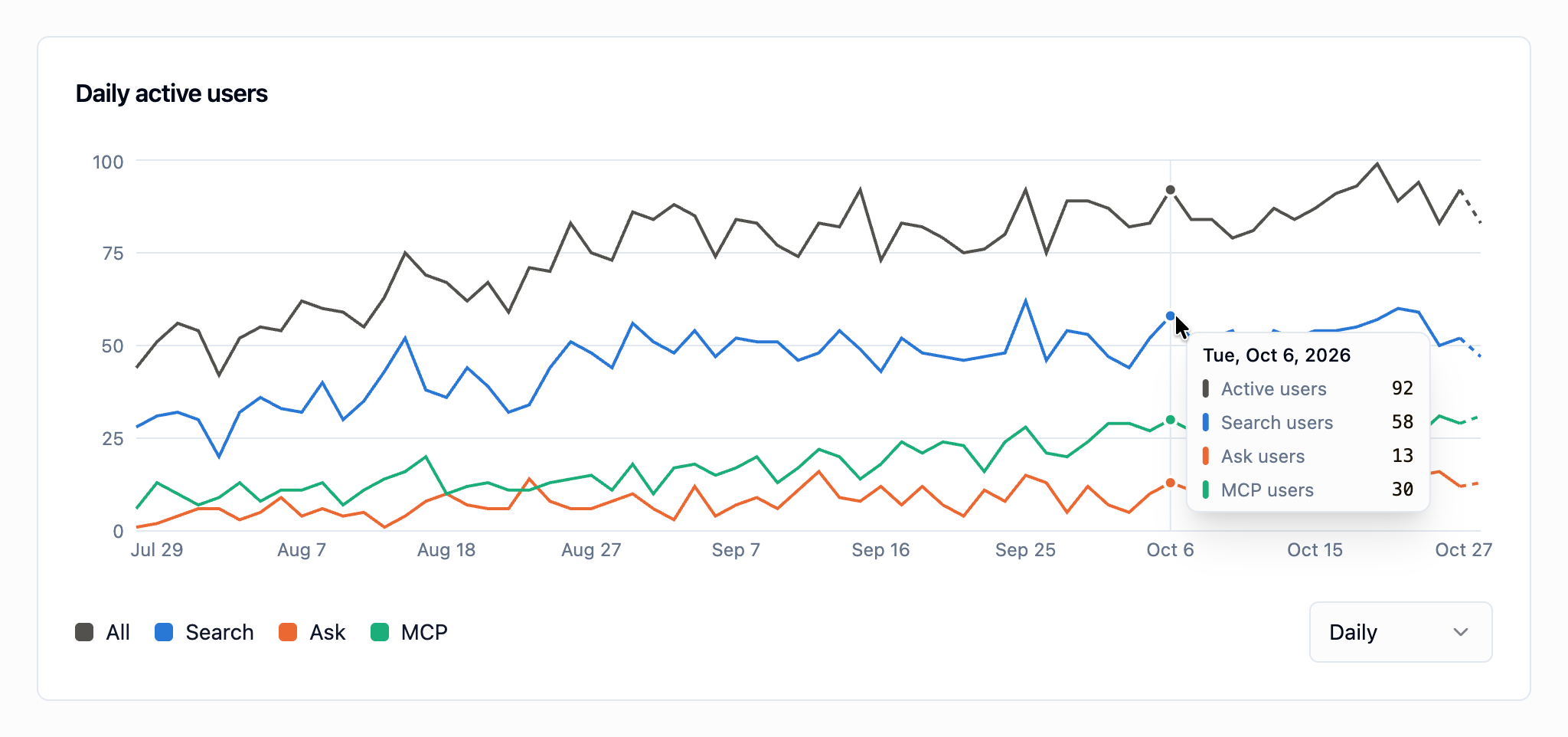
A user who used several features counts toward each of them, so the feature series don’t add up to All. The latest period is drawn as a dashed line while it’s still in progress.
Usage leaderboard
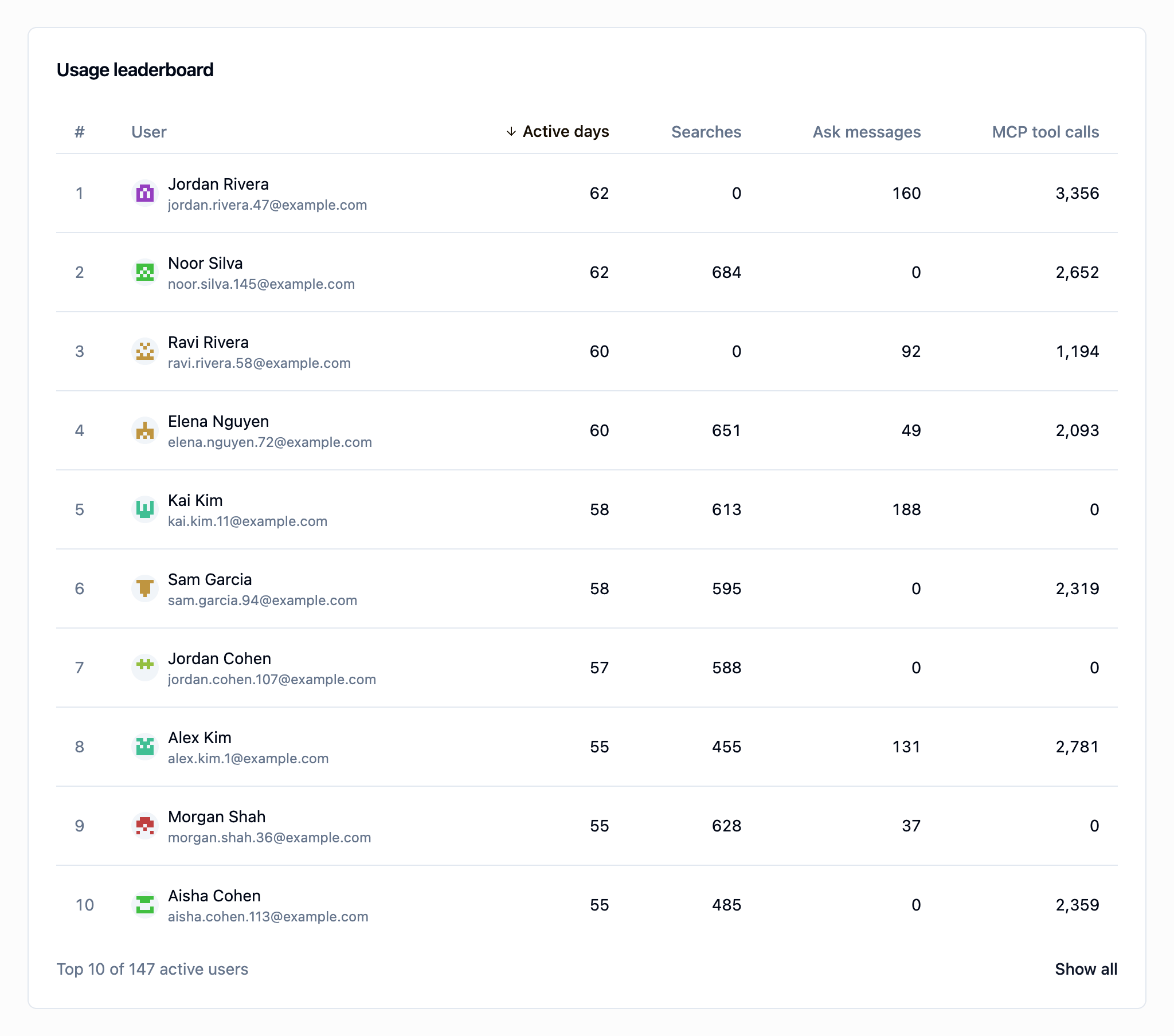
- Active days: the number of days the user was active.
- Searches: code searches in the web app.
- Ask messages: messages sent to Ask Sourcebot in the web app.
- MCP tool calls: tools called through the MCP server.